Your watched quests
The tracker lists watched quests with their objectives underneath. Completed quests show a turn-in message; failed quests are marked so you can distinguish them from unfinished objectives.
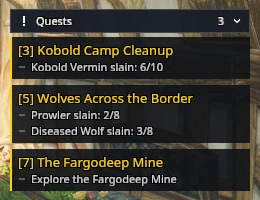
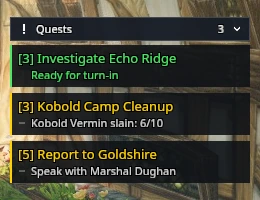
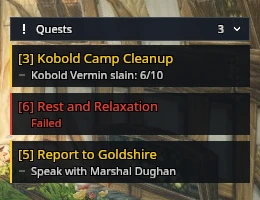
Click a quest to read its details. A click during combat opens them when the fight ends. Shift-click a quest to stop tracking it.
Click the header to collapse the list to its title and count, and click it again to open it.

Some quests come to you instead of waiting at an NPC. An item that starts a quest puts a gold row at the top of the tracker, and a quest that finishes on its own puts a green one there. Click the row to read the offer or complete the quest. Rows stay visible while the list is collapsed. If you close the window without finishing, click the quest in the list to complete it.
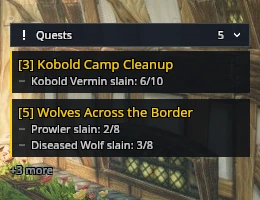
If the list runs out of room, or Maximum visible quests caps it under Settings → Quest tracker, an overflow count shows how many more quests are watched. Open the quest log to see the rest.
Position
Use /rik move to place the tracker. Timed quests appear above the tracker.