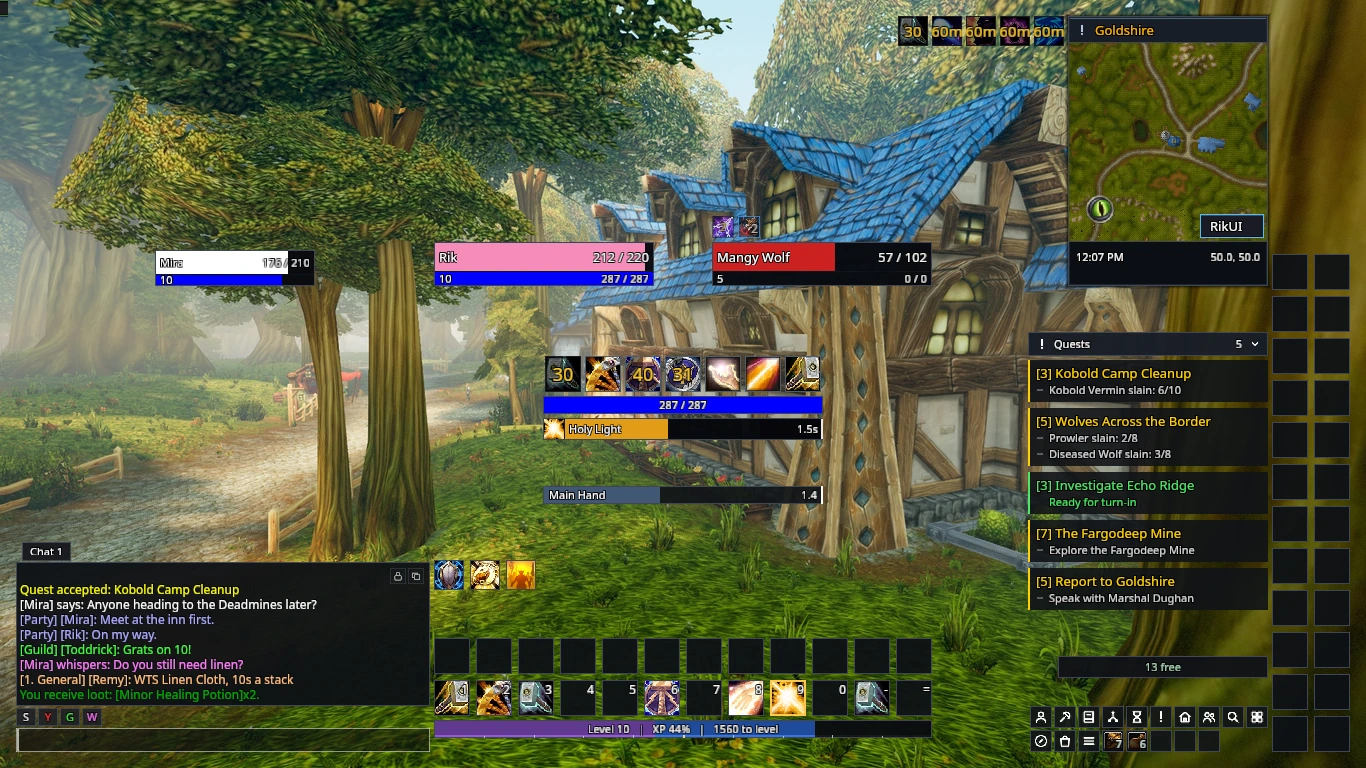
RikUI gives WoW Forever a compact interface with flat unit frames, action bars and matching game windows.
Get started
- Install RikUI.
- Run the setup wizard to choose your role and layout.
- Move frames to suit your screen.
- Open Settings and profiles to choose the features you want.
Choose a layout
The separate character wizard and Settings → General offer four whole-screen layout presets. Use the control under the picture to compare those layouts. Choose Settings → Appearance for themes and readability; each feature page includes its module switch.
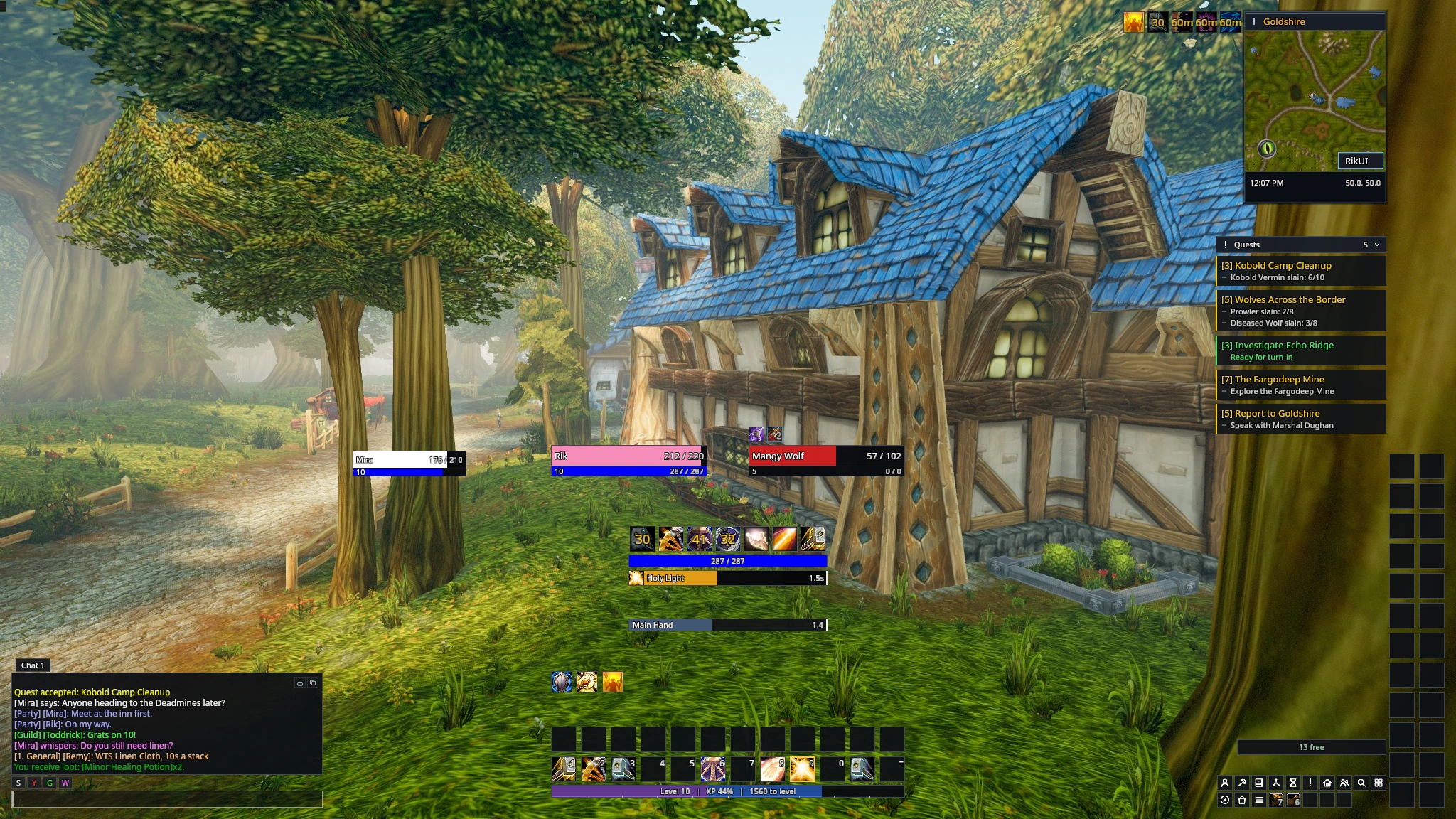
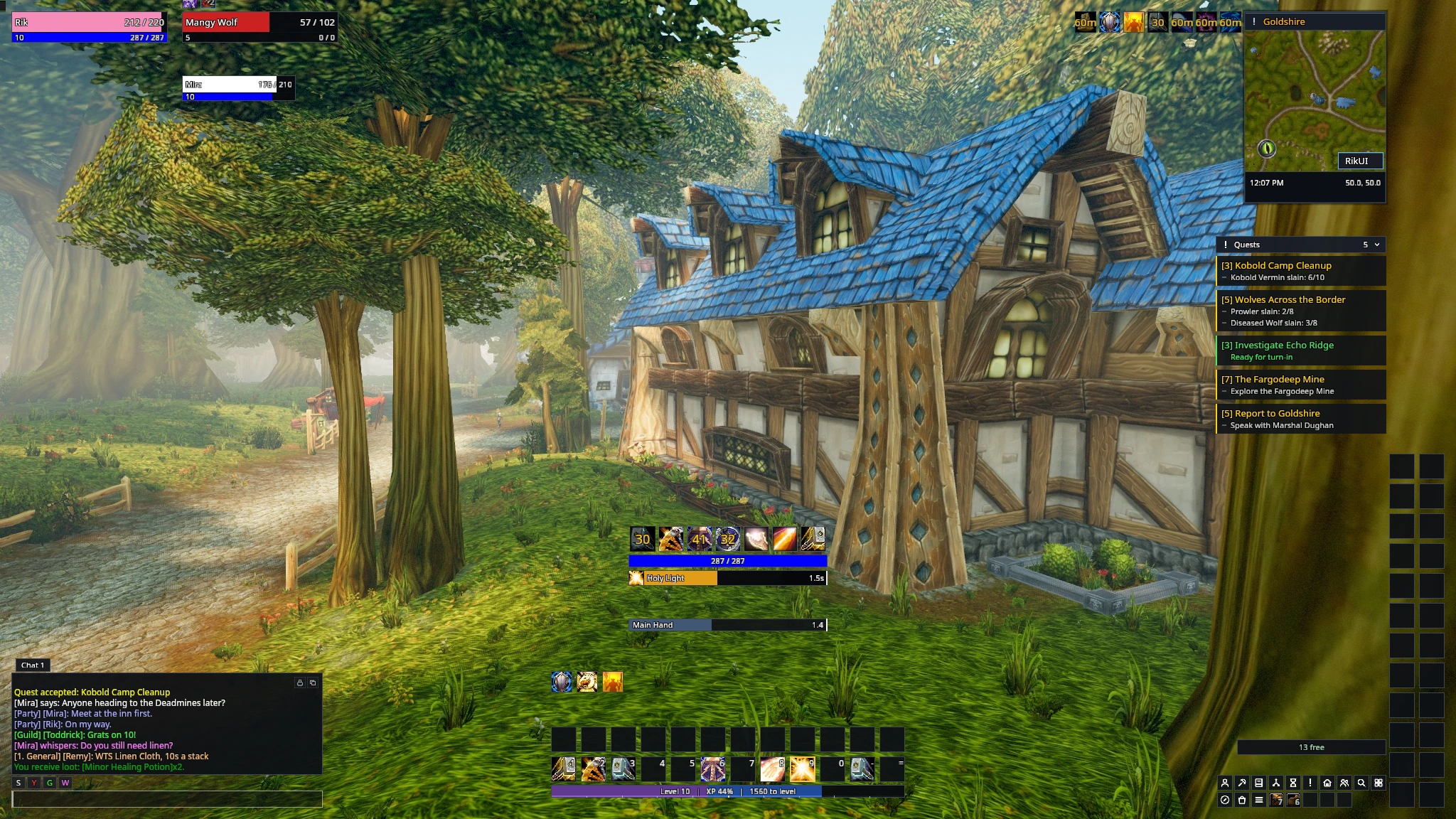
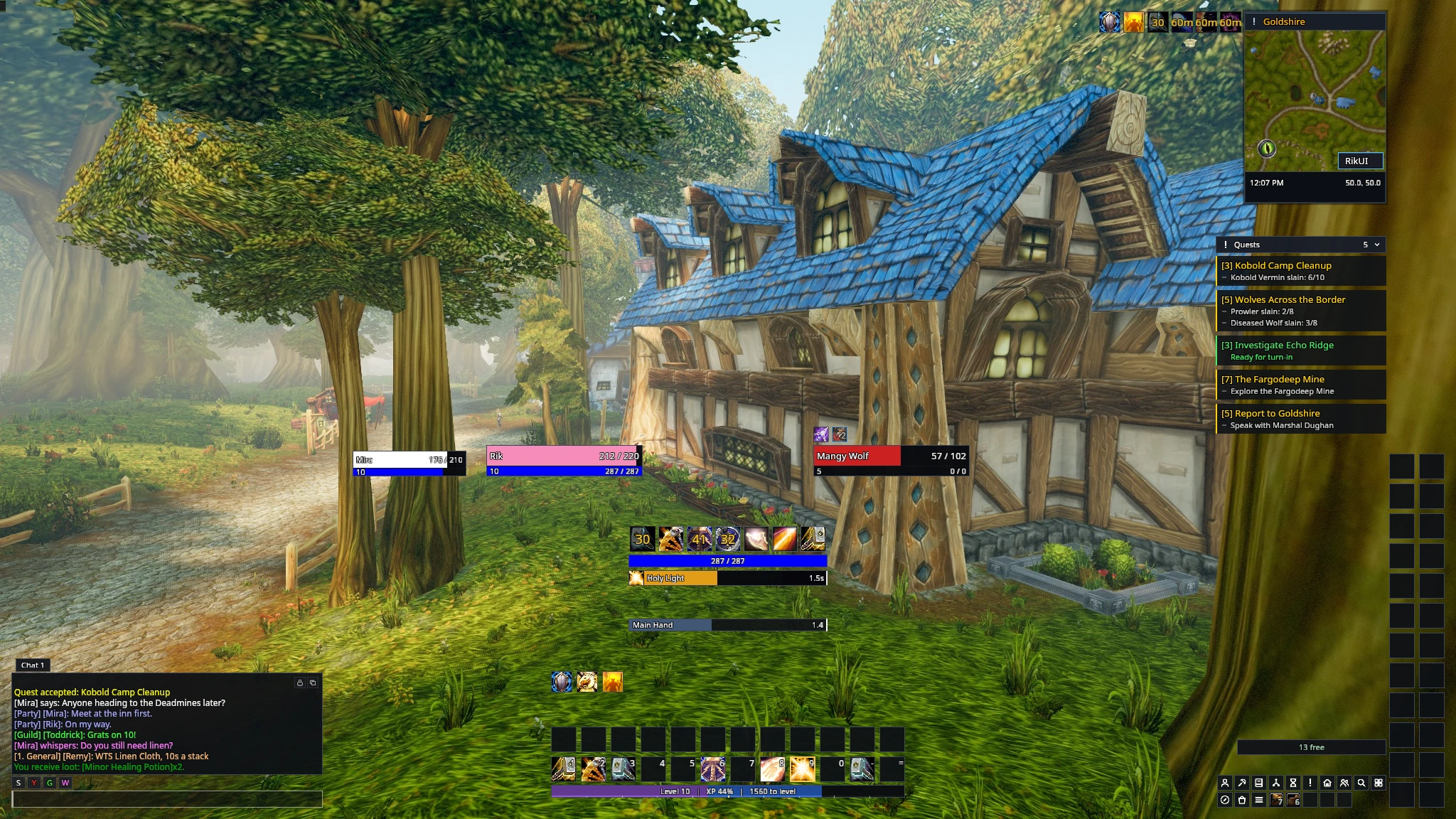
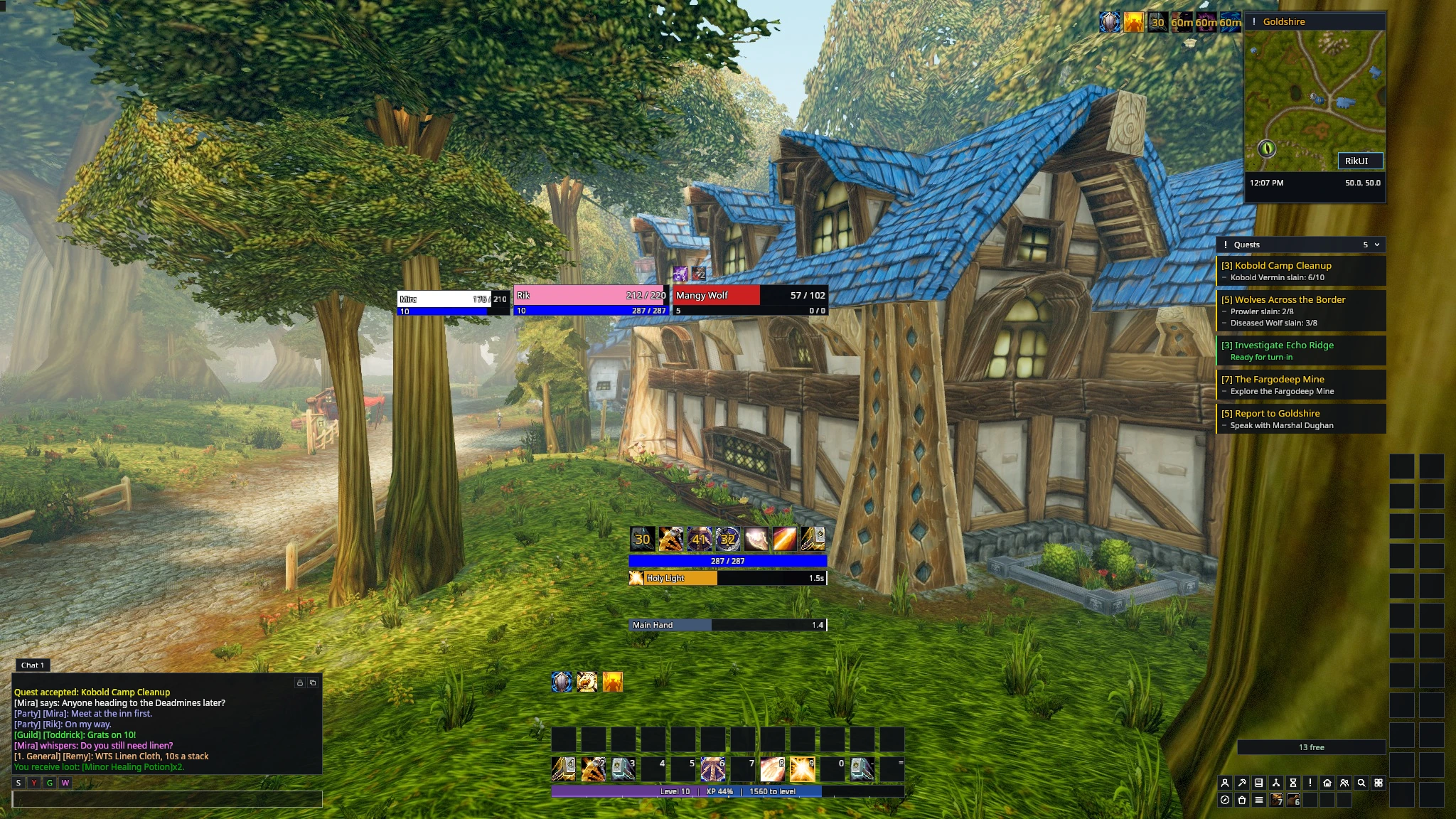
On a smaller screen such as 1366x768, the chat window takes the room left of the action bars. Your own frame, the target and the cooldown column keep their places; smaller frames that no longer fit, such as timers and debuffs, move to the nearest free space. Use Move frames to place them where you want.
Useful commands
| Command | Opens or changes |
|---|---|
/rik setup |
Character setup wizard |
/rik config |
Settings |
/rik move |
Frame handles |
/rik undo |
Undo the last setup |
/rik profileexport |
Share or back up a UI profile |
Most interface features can be enabled separately under Settings → System → Modules. Reload after changing modules.